
Download LogoCreatorAI – AI‑Powered Logo Design Tool for Startups, Designers & Entrepreneurs
Why LogoCreatorAI Stands Out in the Crowd of Design Tools
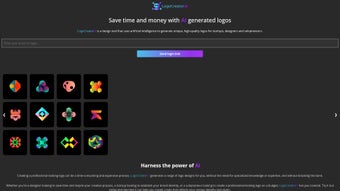
In a world where brand identity can make or break a business, having a professional logo is no longer a luxury—it’s a necessity. LogoCreatorAI answers this demand with an intelligent, cloud‑based engine that generates unique, high‑quality logos in seconds. The platform is built for startups, solo entrepreneurs, and even seasoned designers who need a fast, cost‑effective way to prototype or finalize a brand mark without hiring a design agency. By simply selecting a style, color palette, and industry‑specific keywords, users can watch the AI churn out a curated set of logo concepts ready for instant download. While the tool promises professional results, the iterative nature of AI means you might generate several variations before landing on the perfect fit. All designs are delivered in ready‑to‑use formats (PNG, SVG, EPS) and are cleared for commercial use, allowing you to apply them across websites, social media, print collateral, and merchandise without additional licensing concerns. Whether you’re launching a tech startup, a boutique coffee shop, or a personal blog, LogoCreatorAI offers a streamlined, secure, and user‑friendly experience that reduces the time and money traditionally spent on branding. The service also includes a free tier that lets newcomers test the waters before committing to a paid plan, making it accessible to hobbyists and enterprises alike. Moreover, the platform’s commitment to regular AI model updates ensures that the visual language stays fresh, reflecting the latest design trends and consumer expectations.
Core Features & AI Capabilities That Power Your Brand
- Instant AI‑Generated Concepts: Produce up to 20 logo variations within minutes based on your input, giving you a broad creative runway.
- Style & Mood Selector: Choose from modern, vintage, minimalist, or handcrafted styles to match your brand personality and industry vibe.
- Color Palette Engine: Automatic harmony suggestions and manual color overrides for precise brand colors, with accessibility‑friendly contrast checks.
- Vector Export Options: Download scalable SVG, EPS, and high‑resolution PNG files for any medium, from web icons to large‑format signage.
- Brand Kit Integration: Save favorite logos to a personal dashboard and generate a complete brand kit (fonts, color codes, usage guidelines) that can be shared with teammates.
- Commercial License Included: Every downloaded logo comes with a royalty‑free license for unlimited commercial use, eliminating hidden fees.
- Secure Cloud Storage: All projects are encrypted and stored on GDPR‑compliant servers, allowing you to revisit, edit, or delete designs at any time.
- Regular Updates & New Templates: The AI model is continuously trained on the latest design trends, ensuring fresh and relevant outputs with each session.
- Free Tier & Affordable Upgrades: Start creating without paying, then unlock higher‑resolution files, unlimited revisions, and priority rendering with a modest subscription.
- Multi‑Platform Accessibility: Works seamlessly on Windows, macOS, Android, and iOS via a responsive web interface, so you can design from any device.
Beyond the listed features, LogoCreatorAI also offers collaboration tools that let multiple team members comment on drafts, a version‑history log to track design evolution, and an AI‑driven naming assistant that suggests brand‑friendly taglines. These auxiliary capabilities turn a simple logo generator into a comprehensive branding hub, making it a valuable addition to any small‑business toolkit.
Getting Started: Installation, Usage & Compatibility
LogoCreatorAI is a web‑based application, which means there’s no bulky installer to download. All you need is a modern browser (Chrome, Firefox, Safari, or Edge) and an internet connection. Follow these simple steps to start designing and you’ll be ready to launch a visual identity in under ten minutes.
- Create an Account: Visit logocreatorai.com and sign up using your email or a single‑click Google/Facebook login. The free tier grants you five logo generations per month, enough to test the platform’s capabilities.
- Define Your Brief: Fill in the brief form—company name, tagline, industry, preferred style, and color preferences. The AI uses this data to tailor the design language, ensuring relevance to your market segment.
- Generate & Refine: Click “Generate” and watch the AI present a gallery of concepts. Use the “Refresh” button for new variations or “Edit” to tweak fonts, spacing, and colors in real time.
- Download Your Choice: Once satisfied, hit “Download” to receive a zip file containing PNG, SVG, and EPS versions, along with a license certificate that confirms commercial rights.
- Integrate & Scale: Import the vector files into Adobe Illustrator, Figma, Sketch, or any design tool for further customization if needed. You can also directly embed PNGs into website builders or social media posts.
Supported Operating Systems: Because it runs in the browser, LogoCreatorAI is fully compatible with Windows 10/11, macOS Monterey and later, Chrome OS, Android 8+ and iOS 13+. No additional plugins or software are required, ensuring a smooth experience on desktops, tablets, and smartphones.
Security is taken seriously; all data transfers are encrypted with TLS 1.3, and your design assets are stored in GDPR‑compliant cloud servers. Updates happen automatically on the server side, so you always have the latest AI model and feature set without any manual intervention. If you prefer an offline workflow, you can export the final vectors and continue work locally, though the generation step always requires an internet connection.
Pros, Cons, Frequently Asked Questions & Final Verdict
Pros
- Fast turnaround – logos generated in seconds, speeding up brand‑launch timelines.
- No design expertise required; intuitive UI guides users through every step.
- Commercial‑ready assets with royalty‑free license eliminate legal worries.
- Cross‑platform access via any modern browser, from desktop to mobile.
- Free tier allows testing before committing, reducing upfront cost.
- Secure cloud storage keeps projects safe and easily retrievable.
- Regular AI updates keep designs aligned with current trends.
Cons
- AI may need multiple iterations to hit the perfect look, requiring some patience.
- Limited control over highly complex custom illustrations compared with a human designer.
- Advanced features (unlimited downloads, high‑resolution vectors) require a paid subscription.
- Dependence on internet connection; no offline generation mode.
- Brand‑specific nuances sometimes need manual tweaking after download.
FAQ – Your Most Common Questions Answered
Is LogoCreatorAI really free to use?
Yes, the platform offers a free tier that allows up to five logo generations per month. Premium plans unlock unlimited designs, higher‑resolution files, and additional brand‑kit features.
Can I edit the logo after downloading?
Absolutely. All exported files are vector‑based (SVG, EPS), which means you can open them in Illustrator, Figma, or any vector editor to fine‑tune shapes, colors, or typography.
Do I own the rights to the logos I create?
Yes. Every logo downloaded from LogoCreatorAI comes with a royalty‑free commercial license, allowing you to use the design on websites, merchandise, advertising, and more without additional fees.
What file formats are included in the download package?
The standard package includes PNG (transparent background), high‑resolution SVG, and EPS files. Premium plans may also provide PDF and AI formats for extended workflow flexibility.
Is my data safe on LogoCreatorAI?
Yes. All communications are encrypted with TLS 1.3, and user projects are stored on GDPR‑compliant servers. You can delete any project from your dashboard at any time, and logs are retained only as long as needed for service improvement.
Final Verdict & Call to Action
LogoCreatorAI delivers exactly what modern entrepreneurs need: a fast, affordable, and reliable way to generate professional logos without the overhead of hiring a designer. While the AI may require a few rounds of tweaking to capture a unique brand voice, the ease of use, cross‑platform accessibility, and commercial‑ready assets make it a compelling choice for startups and small businesses. If you’re ready to give your brand a visual identity that stands out, sign up for the free tier today and start creating logos that convey confidence and creativity.



.png)



